Ano ang pagkakaiba ng order, deal, at position sa MT5?
Maikling sagot: Sa MT5, ang isang order ay isang tagubilin sa broker na bumili o magbenta, ang isang deal ay nagtatala ng isang naisagawang transaksyon, at ang isang position ay nagpapakita ng exposure na nananatiling bukas. Maaaring makabuo ang isang order ng maraming deal. Ang mga deal na iyon ay maaaring magbukas, magbago, o magsara ng isang position, depende sa netting o hedging system ng account.
Ano ang ibig sabihin ng order, deal, at position sa MT5?
Ang bawat termino ay sumasagot sa ibang tanong tungkol sa aktibidad sa trading.
Termino | Kahulugan sa MT5 | Tanong na sinasagot | Simpleng halimbawa |
Order | Isang tagubilin sa broker na bumili o magbenta ng isang instrumento | Ano ang hiniling? | Bumili ng 0.30 lot ng EURUSD |
Deal | Isang talaan ng isang aktwal na pagbili o pagbenta na naisagawa | Ano ang naisagawa? | Isang pagbili ng 0.30 lot sa naitalang presyo at oras |
Position | Ang bukas na dami at direksyon ng exposure sa isang instrumento | Ano ang nananatiling bukas? | Isang Buy position na 0.30 lot ng EURUSD |
Ang lot ay isang sukatan ng trading volume. Ang laki ng kontrata nito ay nakadepende sa detalye ng instrumento. Ang long (buy) na position ay kumikita bago ang mga gastos kapag tumaas ang presyo; ang short (sell) na position ay kumikita bago ang mga gastos kapag bumaba ang presyo. Ang mga di-kanais-nais na pagbabago sa presyo ay nagdudulot ng mga pagkalugi.
Para sa mga CFD, ang isang position ay kumakatawan sa kontraktwal na exposure sa mga pagbabago sa presyo sa halip na pagmamay-ari ng pinagbabatayang asset.
Ang NordFX ay isang multi-asset broker na nagbibigay ng access sa MT5. Ang MetaTrader 5 ay ang trading platform kung saan itinatala ang mga tagubiling ito, mga pagpapatupad, at mga position.
Maaari bang magkaroon ng order nang walang deal o bukas na position?
Oo. Ang isang tinanggap na pending order ay maaaring maghintay para sa mga kondisyon nito ng pagpapatupad nang hindi lumilikha ng anumang deal. Kung mag-expire o makansela ito bago ang anumang pagpapatupad, wala itong nabubuong trading deal at hindi lumilikha ng anumang position.
Ang isang market order ay humihiling ng isang transaksyon sa isang available na presyo sa ilalim ng mga naaangkop na patakaran sa pagpapatupad. Ang pagpapadala ng kahilingan, mismo, ay hindi nagpapatunay na matagumpay ang pagpapatupad.
Suriin ang katayuan ng order at ang naisagawang volume. Ang isang hindi napunong tagubilin at isang naisagawang transaksyon ay dalawang magkaibang pangyayari. Gayundin, ang pagkansela ng isang hindi kaugnay na pending order ay hindi nagsasara ng isang position na bukas na.
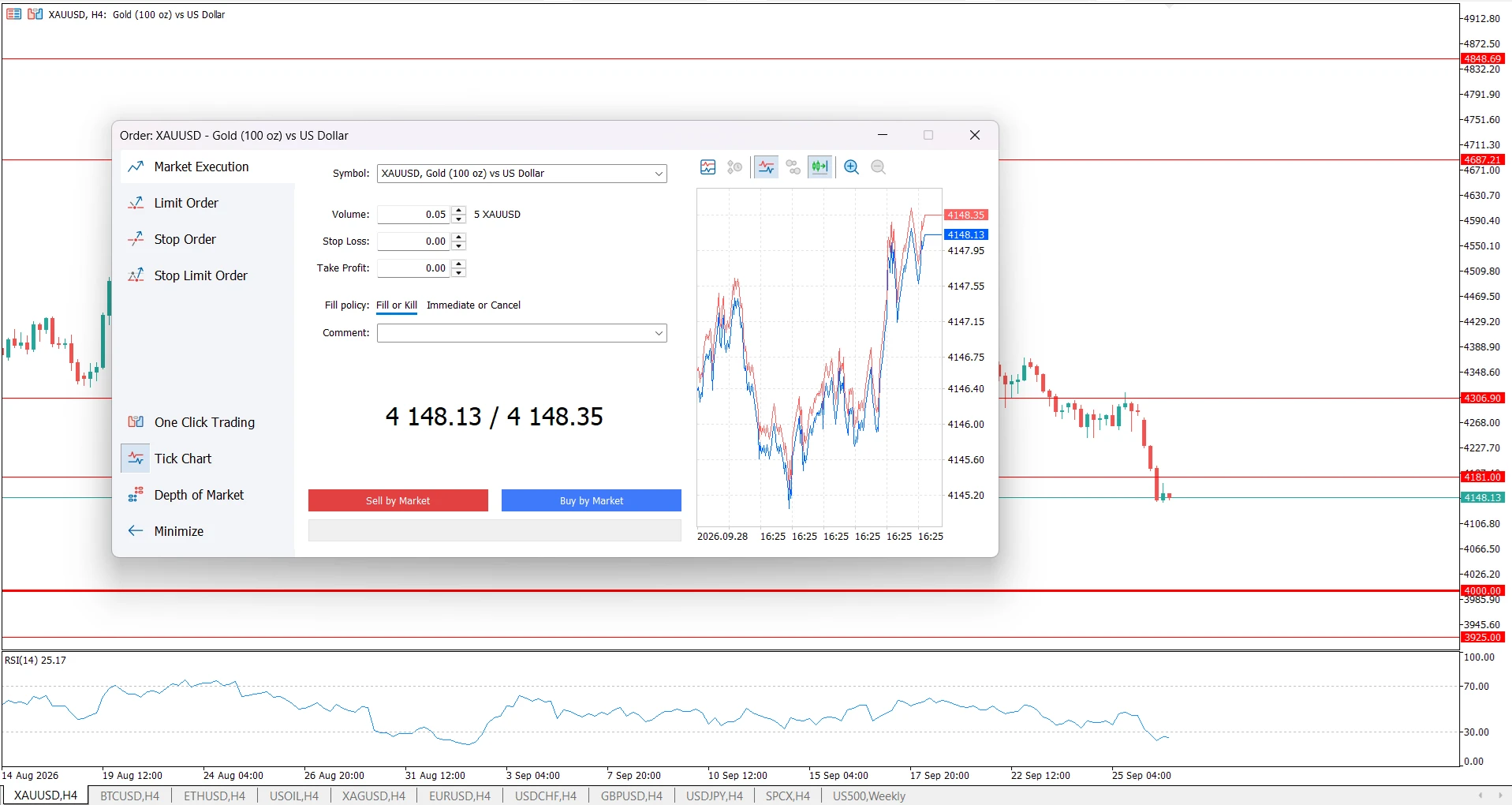
Bakit maaaring makabuo ang isang MT5 order ng maraming deal?
Ang hiniling na volume ng isang order ay maaaring maisagawa sa pamamagitan ng higit sa isang fill. Ang bawat fill ay itinatala bilang isang hiwalay na deal, kasama ang sarili nitong volume, presyo ng pagpapatupad, at oras.
Halimbawa, ang isang 0.30-lot na buy order ay maaaring mapunan bilang 0.10 lot dagdag 0.20 lot. Iyon ay isang order at dalawang deal, na may kabuuang 0.30 lot na naisagawa. Kaya, ang maraming talaan ng deal ay hindi awtomatikong nangangahulugan na nagsumite ang trader ng mga duplicate na order.
Ito ay isang halimbawang posibilidad, hindi isang paghahabol na pinapayagan ng bawat account ang isang hindi natapos na partial fill. Ang mga setting ng pagpapatupad at patakaran sa filling ng instrumento ang nagtatakda kung ang hindi naisagawang natitira ay makakansela, mananatiling aktibo, o pipigilan ang pagpapatupad ng order. Ang isang buong-volume na fill ay maaari ding umasa sa maraming available na alok.
Ano ang mangyayari kapag nagbukas ka, bahagyang isinara, at isinara ang isang position?
Isaalang-alang ang isang trader na nagbukas ng 0.30-lot na Buy position sa EURUSD at kalaunan ay isinara ito sa dalawang yugto.
Ipagpalagay na walang umiiral na EURUSD position, ang bawat order ay naisagawa sa isang deal, pinapayagan ang mga volume, at walang ibang aktibidad na naganap. Sa isang hedging account, parehong tinutukoy nang malinaw ng mga tagubilin sa pagsasara ang orihinal na position.
Yugto | Tagubilin | Naisagawang deal | Bukas na position pagkatapos |
Pagbukas | Bumili ng 0.30 lot ng EURUSD | 0.30 lot na Buy | 0.30 lot na Buy |
Bahagyang pagsasara | Isara ang 0.10 lot ng Buy position na iyon | 0.10 lot na Sell | 0.20 lot na Buy |
Pagsara ng natitira | Isara ang natitirang 0.20 lot | 0.20 lot na Sell | Wala |
Ang pagkalkula ng volume ay:
0.30 − 0.10 − 0.20 = 0.00 lot na natitira.
Sa buong lifecycle ng position na ito, may tatlong naisagawang order at tatlong deal. Isang position ang naroon, na ang natitirang volume ay unti-unting bumaba, at walang bukas na position sa huli.
Ang mga Sell deal ay mga paglabas mula sa Buy position. Hindi sila kumakatawan sa mga bagong short position sa halimbawang ito.
Sinusubaybayan ng halimbawang ito ang volume, hindi ang kakayahang kumita. Ang nakamit na resulta ay nakadepende sa mga presyo ng entry at exit pati na rin sa mga naaangkop na gastos. Pagkatapos ng bahagyang pagsasara, ang natitirang 0.20 lot ay nagdadala pa rin ng market risk.
Paano binabago ng netting at hedging ang resulta?
Sinusuportahan ng MT5 ang parehong netting at hedging account system. Itinatakda ng broker ang sistema para sa account, at binabago nito kung paano naaapektuhan ng karagdagang mga transaksyon ang mga position.
Sitwasyon | Netting account | Hedging account |
Mga bukas na position para sa isang simbolo | Pinakamarami ay isang pinagsamang position | Posible ang maraming hiwalay na position |
Umiiral na 0.30 lot na Buy; isa pang independent na Buy order ang napuno para sa 0.20 lot | Ang Buy position ay tumataas sa 0.50 lot | Isang hiwalay na Buy position na 0.20 lot ang bubukas |
Umiiral na 0.30 lot na Buy; isang bagong independent na Sell order ang napuno para sa 0.10 lot | Ang Buy position ay bumababa sa 0.20 lot | Isang hiwalay na Sell position na 0.10 lot ang bubukas |
Isara ang bahagi ng isang partikular na position | Ang kabaligtarang pagpapatupad ay nagpapababa sa pinagsamang position | Dapat matukoy ng tagubilin sa pagsasara kung aling position ang binabawasan |
Sa isang netting account, ang isang kabaligtarang pagpapatupad na mas malaki kaysa sa umiiral na position ay binabaliktad ang direksyon nito. Halimbawa, ang pagbebenta ng 0.50 lot laban sa isang Buy position na 0.30 lot ay magiiwan ng isang Sell position na 0.20 lot.
Sa isang hedging account, ang pagsusumite ng bagong Sell order ay hindi kaparehong aksyon ng pagsasara ng umiiral na Buy position. Suriin kung aling aksyon ang iyong tinuturo bago ito kumpirmahin.
Paano basahin ang mga order, deal, at position sa kasaysayan ng MT5?
Basahin ang bawat view para sa sarili nitong layunin: ipinapakita ng mga order ang mga tagubilin at resulta, ipinapakita ng mga deal ang mga pagpapatupad, at pinagsasama-sama ng historical positions view ang aktibidad na nauugnay sa isang position.
Ang historical positions view ay iba sa listahan ng mga kasalukuyang bukas na position. Ang isang saradong position ay maaaring manatiling kinakatawan sa kasaysayan kahit na hindi na ito nagdadala ng bukas na exposure.
Kapag nire-reconcile ang mga talaan, gamitin ang parehong account, instrumento, at saklaw ng petsa. Ang masyadong makitid na history filter ay maaaring makaligtaan ang bahagi ng aktibidad na sinusubukan mong suriin. Ihambing ang hiniling na volume sa naisagawang volume at ang dami na bukas pa, sa halip na umasa na magkakapareho ang bilang ng row sa lahat ng view.
Ano ang ibig sabihin ng "In," "Out," at "In/Out"?
Inilalarawan ng mga label na ito kung paano naaapektuhan ng isang trading deal ang isang position:
Direction label | Kahulugan |
In | Pumapasok sa market sa pamamagitan ng pagbukas ng position o pagdaragdag dito kung saan pinapayagan ng account system |
Out | Binabawasan o isinasara ang isang position |
In/Out | Binabaliktad ang isang position sa netting system |
Inilalarawan ng "Buy" at "Sell" ang direksyon ng transaksyon; inilalarawan ng "In" at "Out" ang papel nito. Kaya, ang isang Sell deal na minarkahan bilang "Out" ay maaaring ang transaksyon ng pagsasara para sa isang Buy position.
Paano nakakatulong ang mga ticket number at position identifier?
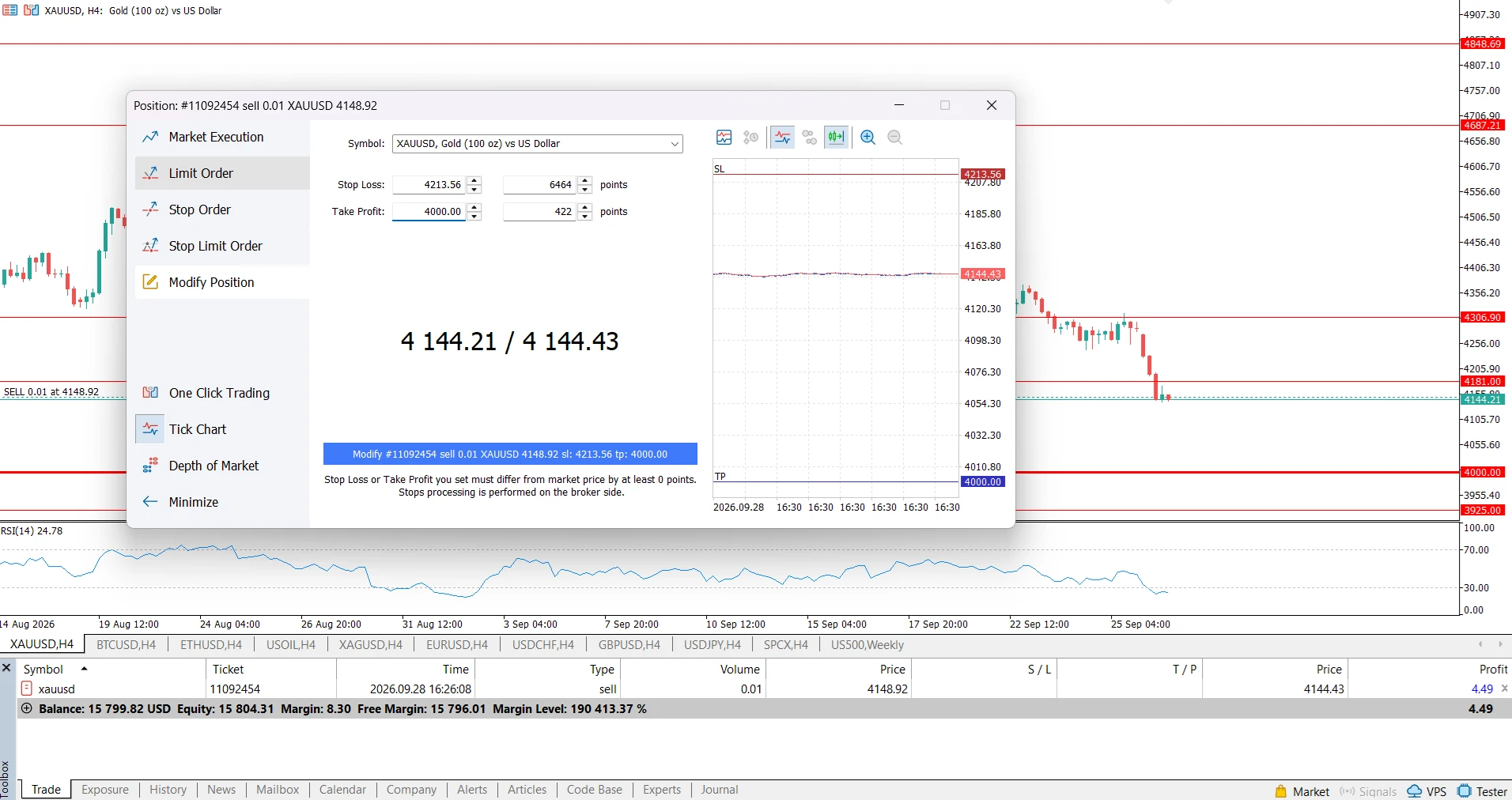
Ang mga order at deal ay may sariling mga ticket number. Ang isang talaan ng deal ay tinutukoy din ang order sa likod nito. Ang mga nauugnay na talaan ng order at deal ay may position identifier na kumokonekta sa mga ito sa lifecycle ng position.
Huwag ipagpalagay na dapat magkatugma ang bawat numero na ipinapakita para sa isang order, deal, at position. Ang identifier ng isang position at ang kasalukuyang ticket nito ay may iba't ibang layunin din; maaaring magbago ang ticket sa ilang operasyon ng server o sa isang netting reversal.
Kung magtatanong ka sa NordFX tungkol sa isang talaan, ibigay ang account number, simbolo, kaugnay na ticket ng order o deal, oras ng pagpapatupad, at isang screenshot. Mas tumpak nitong matutukoy ang aktibidad kaysa sa pagsabi lamang na ang isang trade ay "lumabas nang dalawang beses."
Anong mga pagkakamali ang dapat iwasan ng mga trader?
Ang pagbibilang sa bawat deal bilang hiwalay na kumpletong trade. Ang mga pagpapatupad ng entry at exit ay kabilang sa parehong lifecycle ng position, at ang mga partial fill o partial close ay maaaring magdagdag ng mga talaan. Tukuyin kung ano ang ibig mong sabihin sa "trade" bago ihambing ang mga kabuuan.
Ang pag-aakalang bumubukas ng long position ang bawat Buy deal. Ang isang Buy deal ay maaaring magsara ng isang short position. Basahin ang papel nitong entry/exit at ang konteksto ng account.
Ang pagtrato sa pagkansela bilang isang pagbabaliktad ng pagpapatupad. Ang pagkansela ng isang hindi napunong order ay pumipigil sa tagubiling iyon na maisagawa. Hindi nito binabawi ang isang nakumpletong deal. Karaniwang binabago ng trader ang umiiral na exposure sa pamamagitan ng ibang transaksyon; ang mga pambihirang pagwawasto ng broker o exchange ay isang hiwalay na usapin.
Ang pagtrato sa isang entry record na may zero na kita bilang patunay ng kawalan ng gastos. Karaniwang nagpapakita ang mga entry deal ng zero sa realized profit field. Ang mga komisyon at iba pang bayarin ay maaaring lumabas nang hiwalay, kaya ang field na iyon lamang ay hindi tumutukoy sa net na resulta.
Ang pag-unawa sa mga talaang ito ay nakakatulong na ipaliwanag ang aktibidad ng account, ngunit hindi nito inaalis ang panganib sa trading.
Mga madalas itanong
Ano ang pagkakaiba ng position at trade?
Ang position ay isang tinukoy na exposure sa isang instrumento. Ang "Trade" ay ginagamit nang mas maluwag: maaari itong mangahulugan ng isang pagpapatupad, isang desisyon sa entry, o isang kumpletong sunod-sunod na hakbang mula entry hanggang exit. Gamitin ang order, deal, at position kapag mahalaga ang tumpak na bilang sa MT5.
Nagbubukas ba ng bagong position ang bawat deal?
Hindi. Ang isang trading deal ay maaaring magbukas ng position, magdagdag dito, magbawas dito, magsara nito, o sa ilalim ng netting, baliktarin ito. Ang epekto ay nakadepende sa account system at sa tagubiling isinasagawa.
Lumilikha ba ng ibang order at deal ang pagsasara ng isang position?
Oo. Ang normal na pagsasara ay kinasasangkutan ng ibang order at isa o higit pang naisagawang deal. Kung parehong naisagawa sa isang fill ang opening at ang full-closing order, ang simpleng lifecycle na iyon ay bumubuo ng dalawang order at dalawang deal.
Magkatulad ba ang partial fill at partial close?
Hindi. Ang partial fill ay tungkol sa pagpapatupad ng bahagi lamang ng hiniling na volume ng isang order. Ang partial close ay nagpapababa ng isang umiiral na position. Ang partial close mismo ay maaaring maisagawa sa isang fill o sa maraming fill.
Maaari bang mapunta sa kasaysayan ang isang pending order nang walang deal?
Oo. Kung ito ay nakansela o nag-expire nang walang anumang pagpapatupad, maaari itong lumabas sa order history nang walang kaugnay na trading deal. Ang presensya nito sa kasaysayan ay hindi nagpapatunay na may nabuksang position.
Bakit may mga Sell deal sa kasaysayan ng isang Buy position?
Ang isang Buy position ay binabawasan o isinasara sa pamamagitan ng mga Sell execution. Suriin ang direction label ng deal at ang kaugnayan nito sa position upang maiba ang mga paglabas na ito mula sa pagbubukas ng isang hiwalay na short position.
Nabibilang ba ang isang deposito bilang isang trading deal?
Maaaring lumabas ang isang deposito sa deal history ng MT5 bilang isang balance operation. Hindi ito isang buy o sell execution at hindi ito lumilikha ng market exposure. Ibukod ang mga balance operation kapag binibilang ang mga trading execution.
Ano ang dapat mong tandaan kapag sinusuri ang mga MT5 record?
Gamitin ang mga order record upang suriin ang mga tagubilin, ang mga deal record upang suriin ang mga pagpapatupad, at ang impormasyon ng position upang maunawaan ang exposure. Normal lamang ang magkakaibang bilang ng talaan. Ang pagtutugma ng account mode, mga volume, at kaugnay na identifier ay nakakatulong na ipaliwanag ang aktibidad bago gumawa ng konklusyon tungkol sa isang tila hindi pagkakatugma.
Bumalik Bumalik